Category: Content Creation & Marketing

From Reels to blogs, discover how to craft scroll-stopping content and market it with purpose. Learn tools, trends, and techniques to connect with your audience and drive real engagement.

  • The Hustler’s Guide to AI: How to Use Tech to Work Smarter (Not Just Scroll More)

    The Hustler’s Guide to AI: How to Use Tech to Work Smarter (Not Just Scroll More)

    Let’s keep it real — most people out here using AI just to make freakin’ anime avatars or ask how tall NBA players are. Meanwhile, tech is leveling the playing field for hustlers like us who know how to actually use it to build something.

    So here’s your crash course — no boring jargon, no sugarcoating. Just straight-up ways to tap into the tech wave and stop grinding like it’s 2012.


    🛠️ 1. AI Ain’t Just ChatGPT — It’s Your New Assistant

    You’re not lazy for using AI to save time. You’re smart. Automate captions, generate scripts, write emails, map out launch plans, and build swipe files in seconds.
    Use it like: “Yo ChatGPT, gimme 5 cold DM messages to pitch my cleaning service that don’t sound scammy.” Boom. Done.


    📅 2. Build Systems That Don’t Burn You Out

    Use tools like Notion, Airtable, or Trello with AI plugins to build content calendars, invoice trackers, or client workflows. You don’t need a full team when your tech is working overtime.


    🛒 3. Sell Smarter — From Digital Products to Dropshipping

    AI can write your product descriptions, create mockups, and schedule promo content for your dropshipping biz or digital shop. No excuses. Even your Etsy bio can hit better with a lil’ robot magic.


    🎨 4. Design on a Budget? Say Less

    Adobe Firefly, Canva Magic Studio, and AI image generators got you covered. Use ‘em to whip up branding kits, YouTube thumbnails, or Reels covers. It’s giving “I paid a designer” without the invoice.


    📊 5. Data is the Real Bag

    Analytics not vibing? AI can summarize traffic trends, show you what content is hitting, and tell you which links converting. Even your email subject lines can get that spicy 70% open rate treatment.


    🚀 Final Take:

    Tech ain’t just evolving — it’s calling your name. Either you get ahead of it or you keep playing catch-up while the next creator makes your dream money. This ain’t about working harder, it’s about working better — with tech that understands the assignment.

    Now go automate something, then go outside. Balance, my guy.

  • Content is Currency—So Why You Posting Like You Broke?

    Content is Currency—So Why You Posting Like You Broke?

    Content is Currency—So Why You Posting Like You Broke?

    If your content feels random, rushed, or recycled from last year—congrats, you’re throwing away digital dollars.

    Content is currency. It’s how people discover you, trust you, share you, and eventually pay you. If your posts don’t educate, entertain, or inspire action, what are you really doing?

    Let’s fix that.

    Here’s a quick system to turn your content into something worth scrolling and spending on:

    ✅ Create Pillars, Not Chaos. Pick 3-5 themes that match your brand. Rotate, remix, and repeat. That’s how you stay consistent without being boring.

    ✅ Use the 80/20 Rule. 80% value, 20% promo. Nobody wants to follow a walking billboard.

    ✅ Batch Like a Boss. Stop creating day-by-day. Sit down, knock out a week’s worth in one session, and schedule it.

    ✅ Story > Salesy. Let your audience in. Behind the scenes, struggles, lessons—they’re not buying products, they’re buying people.

    ✅ CTA Every Time. What do you want them to do? Like? Share? Download? Comment? Say it.

    And no—you don’t need a 20-slide Canva carousel every time. Sometimes a fire quote and a caption with heart does more than polished fluff.

    You’re already sitting on content gold. But if you treat your posts like an afterthought, they’ll perform like one too.

  • Your Brand Ain’t Just a Logo: Build What People Feel

    Your Brand Ain’t Just a Logo: Build What People Feel

    Let’s be clear—your brand is not just that lil’ Canva logo you threw together at 3AM. Branding is how people feel when they hear your name, click your link, or scroll your page. It’s your tone, your style, your story—hell, even your IG captions.

    If your brand don’t got vibes, it don’t got value. And I don’t mean “aesthetic” just for the ‘Gram—I’m talking consistency, clarity, and connection. That’s what makes people remember you—and more importantly, pay you.

    Here’s how to tighten up your branding without losing your authenticity:

    ✅ Get clear on your core message. What do you stand for? What can people expect from you every time?

    ✅ Design with emotion. Color, font, visuals—it all talks before you do. Make sure it’s saying the right thing.

    ✅ Keep the same energy. Your website, social, business cards, emails—they should all feel like you, even if you’re not in the room.

    ✅ Tell stories, not sales pitches. People connect to real. Let them in. Let them feel your brand.

    ✅ Audit your digital presence. Scroll like you don’t know you. Would you follow you? Buy from you? Trust you?

    Your brand should slap harder than your elevator pitch. When you’re real, consistent, and intentional—you don’t chase clients, they find you.

    And if you’re still unsure what your brand says about you, here’s a truth bomb:
    If you ain’t saying nothin’—they’re makin’ up their own story.


    Want a free Brand Clarity Worksheet? 

    Time to stop winging it and start branding it.

  • From Idea to Income: Why Strategy Ain’t Optional if You Want to Win

    From Idea to Income: Why Strategy Ain’t Optional if You Want to Win

    Let’s Be Real: Winging It Doesn’t Work Long-Term

    I’ve tried it. You’ve probably tried it too — just showing up and “hoping” things click. But that’s not how consistent success is built. If you’re serious about taking your idea and turning it into income, strategy has to be part of your daily workflow. Not once a month. Not when things go wrong. DAILY.

    And I’m not talking about a 30-page business plan that sits in a folder collecting digital dust. I’m talking about the kind of strategy that keeps your goals in check, your content intentional, and your energy protected.

    Here’s What a Real Growth Strategy Looks Like in 2025

    1. Vision Check-Ins Every Week
      Don’t lose sight of why you started. Ask yourself weekly: Is this content, post, service, or product moving the mission forward? If the answer is no — rework it.
    2. Content With a Call-To-Action
      Every blog post, reel, tweet, or story needs a purpose. Inform, entertain, or convert. That’s it. No more posting just to post.
    3. Know What’s Worth Your Time (and What’s Not)
      Everything can feel urgent when you’re building, but not everything’s important. Strategy is about prioritizing the things that move the needle, not just keep you busy.
    4. Build a System, Not Just a Brand
      Having a logo is cool. Having systems that handle client inquiries, content scheduling, affiliate tracking, and email funnels? THAT’S what builds revenue while you sleep.

    Stop Playing Small — You’re the Blueprint

    I’m telling you this because I had to learn it the hard way. Your vision deserves structure. Your ideas need a system. And your hustle deserves to actually pay off.

    Don’t be scared of the word “strategy” — it’s not some corporate buzzword. It’s your lifeline to business growth.

    If you’re building from the ground up like I did, take this post as a sign:

    It’s time to stop winging it and start winning it.

    👇 Let’s Keep It Simple:

    • Got a business idea? Write the vision.
    • Got content? Map out where it’s leading.
    • Got goals? Match them with daily action.

    Now You: What’s one move you can make this week that’s actually strategic — not just reactive? Drop it in the comments or DM me. Let’s grow on purpose.

    — LO

    An OMGITZLO Project

    Want More Like This?

    Subscribe to get real talk straight to your inbox — no fluff, just fire.

  • Your Business Ain’t Broke—You’re Just Playing It Too Safe

    Your Business Ain’t Broke—You’re Just Playing It Too Safe

    Subscribe to continue reading

    Subscribe to get access to the rest of this post and other subscriber-only content.

  • Master ChatGPT in Minutes with This Prompting Cheat Sheet

    Master ChatGPT in Minutes with This Prompting Cheat Sheet

    Ever sat in front of ChatGPT like, “Okay… now what?”

    You’re not alone. Most people aren’t getting the full power out of AI because they don’t know how to talk to it. That’s where prompting comes in — and why this ChatGPT Prompting Cheat Sheet might be your new secret weapon.

    Whether you’re a marketer, designer, coder, business owner, or just curious about AI, this guide breaks down how to get better, faster, and more useful results from ChatGPT.


    🧰 Why Prompts Matter More Than You Think

    ChatGPT is smart — but it’s not psychic. The difference between a generic answer and a game-changing response? A well-crafted prompt.

    Think of it like Google, but on steroids. The better your prompt, the better the outcome.

    And that’s what this cheat sheet delivers.


    📄 What’s Inside the ChatGPT Prompting Cheat Sheet

    This one-pager breaks things down into clear categories:

    ➤ Act As a Role

    Need help from a:

    • Copywriter
    • Developer
    • Interviewer
    • Talent Acquisition Manager
    • Marketer
    • Ghostwriter

    You can ask ChatGPT to step into that role for hyper-targeted results.


    ➤ Create a Task

    Some tasks you can generate:

    • Sales Copy
    • Resume Writing
    • Blog Posts
    • SEO Keywords
    • Product Descriptions
    • Recipes (yes, even dinner ideas)

    ➤ Format Your Output

    Want results in a:

    • List?
    • Table?
    • Summary?
    • JSON or XML?
    • Email template?

    It’s covered.


    ➤ Prompt Categories by Profession

    This is where it gets gold:

    Marketers: Social calendars, subject lines, ad copy
    Sales Pros: Scripts, product pitches, lead gen
    Researchers: Summaries, comparisons, competitor intel
    Designers: User personas, UX ideas, interview questions
    Devs: Debugging help, code explanations
    Customer Service: FAQ templates, email replies

    Literally plug and play.


    ⚙️ How to Use It (Chain Prompt Example)

    1. Start with a prompt: “Give me a summary of this resume.”
    2. Refine it: “Now rewrite it to sound more professional.”
    3. Add a tone: “Make it more persuasive and energetic.”
    4. Format it: “Now turn it into bullet points.”

    Boom — pro-level results with just a few tweaks.


    💡 Real Ways I’ve Used It

    • Wrote a cold outreach email that actually got replies (rare, right?)
    • Generated 30 days of content ideas in one shot
    • Fixed copy on my site that wasn’t converting
    • Built questions for a podcast interview

    This cheat sheet turned ChatGPT into my creative sidekick.


    🚀 Final Thoughts

    AI is here. It’s not going anywhere.
    But knowing how to talk to it? That’s your edge.

    This cheat sheet gives you the language to get exactly what you want from ChatGPT — without wasting hours rewording the same question over and over.

    Print it. Bookmark it. Use it.
    Your productivity (and sanity) will thank you.


    👇 Got questions or want me to make your own custom prompts? Drop a comment or hit me up.

  • Get Ya Brand Right for the Summer Rush – Or Get Left

    Get Ya Brand Right for the Summer Rush – Or Get Left

    Let’s be real… if your brand ain’t ready by now, you already behind.

    Summer is go-time. It’s the season of scrolls, sales, and serious traffic. People got time, energy, and money. But if your brand ain’t showing up polished and loud? You gon’ get drowned out by folks who came prepared.

    So here’s the real: you got two options—show up or shut up.


    👇 Here’s how to get ya brand ready to WIN this summer:

    1. Tighten Your Visuals

    If your colors, fonts, or logo feel tired? Refresh it. Canva ain’t hard to use. Or hit a designer (👀 I got you). Summer is all about vibrant energy, so make your brand look alive.

    2. Clean Up Your Online Presence

    Go through your IG bio, your link in bio, your site. Is it clear what you offer? Is it mobile-friendly? Test it like a customer, not just a creator.

    3. Batch That Content NOW

    Summer’s not the time to be scrambling. Use a weekend to plan your posts, promos, Reels, and email blasts. Automate where you can, so you can enjoy the heat and get the bag.

    4. Push Your Offer (But With Value)

    Don’t just throw “SUMMER SALE” on something and call it marketing. Create an experience. Bundle it. Add bonuses. Make folks feel like they need to buy now or miss out.

    5. Stay Consistent AF

    Post even when you’re busy. Stay loud even when engagement feels low. The algorithm ain’t loyal—but consistency builds trust. And trust builds sales.

    6. Get Outside (Literally)

    Summer is perfect for popping up at markets, networking events, street promo, or collabs. Real world visibility hits different. Show up where your people are.


    This summer is for creators who come correct—not the ones waiting around hoping to “go viral.”

    And let me remind you—you don’t need everything perfect. You just need it moving.

    So whether you’re selling merch, booking services, or building content… get ya game tight now. Don’t let June hit and you’re still “figuring it out.” Be the brand that’s ready to run it up.

    Let’s work. Let’s win.
    Sun’s out. Strategy out.

  • How to Build a Strong Visual Brand (Even When You’re Broke AF)

    How to Build a Strong Visual Brand (Even When You’re Broke AF)

    Let’s be real—branding ain’t just for big companies with deep pockets. If you’re a creator, entrepreneur, or side-hustler trying to make noise online, your visuals matter. People judge your brand before they hear your pitch. But that doesn’t mean you need a designer on payroll.

    If your budget’s tight but your ambition is loud, here’s how to create a visual brand that hits hard and sticks.


    🎯 1. Know What You’re About First

    Before you even open Canva, lock in your identity:

    • What’s your vibe? (Bold? Bougie? Street? Spiritual?)
    • Who you tryna reach?
    • What makes you different from everybody else?

    Your visuals should match your energy.

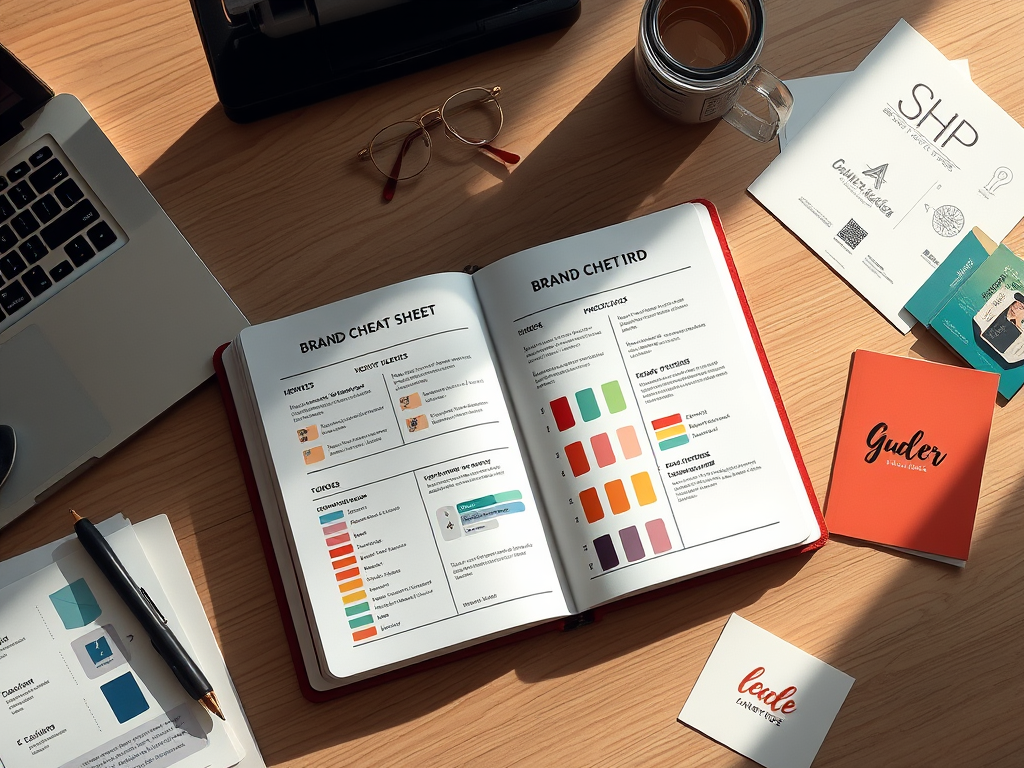
    💡 Quick Win: Write a 1-page brand cheat sheet with your tone, audience, colors, and 3 keywords that describe your brand. Boom—now you’ve got direction.


    🎨 2. Lock In Your Colors (No Skittles Pack)

    Too many colors scream confused brand. Instead, keep it clean:

    • 1 Main Color (your signature)
    • 1-2 Accent Colors (to spice things up)
    • Neutrals (black, white, gray, beige = clean backdrop)

    Use free sites like Coolors.co to find fire palettes in seconds.


    🔠 3. Pick 2 Fonts & Chill

    Fonts are vibes. They set the tone—playful, professional, edgy, whatever.

    • Headline font = loud + stylish
    • Body font = easy to read

    Go to Google Fonts and find your combo. Stick with those two across everything.

    Bonus: Don’t use Comic Sans. Just don’t.


    🔥 4. Make Your Own Logo (No Designer Needed)

    You don’t need to spend $300 on a logo right now. You just need something clean that reps your brand.

    Try:

    Keep it simple. Your logo should look good on a shirt, a website, or a tiny profile pic.


    📲 5. Create Templates That Save Time (and Headaches)

    Templates = your secret weapon for consistency. Use them for:

    • IG posts + stories
    • Reels thumbnails
    • YouTube covers or podcast art
    • Flyers, biz cards, etc.

    Design once in Canva, then duplicate and remix forever. Set your brand on autopilot.


    📸 6. Pick a Photo Style & Stick With It

    Your photos and graphics should vibe with your brand:

    • If you’re luxury: go clean, elegant, muted
    • If you’re street: gritty textures, raw edges
    • If you’re fun: bright, loud, colorful chaos

    Need free images? Hit up UnsplashPexels, or Pixabay.


    🧰 7. Build Your Brand Kit (Your Visual Toolbox)

    Put all your branding goods in one folder or Google Drive:

    • Color hex codes (like )
    • Logo files (transparent, black, white)
    • Fonts
    • Your mini brand guide
    • Any Canva templates you use

    Now you’re ready to hand it off to a VA, designer, or co-creator when the time comes.


    🔁 8. Keep It Consistent. Everywhere.

    Your brand should look and feel the same whether you’re on Instagram, your website, a flyer, or even in a DM.

    That’s how people start to remember you—and trust you.


    💡 Final Take

    You don’t need thousands in the bank to build a visual brand that slaps. All you need is:

    ✅ A clear message
    ✅ A little creativity
    ✅ Some free tools
    ✅ And the drive to show up consistently

    Start scrappy. Look sharp. Stay real.

    Your brand is your flex—so even if you’re broke, make it look like money.

    Create Your Own Visual Brand with This Easy Starter Kit
    This DIY template helps you build a brand that stands out—even on a budget. With sections for your brand foundation, color palette, fonts, logo, and templates, you’ll have everything you need to keep your visuals on point and consistent. Perfect for small businesses, entrepreneurs, and creators looking to build a professional brand without breaking the bank.

  • How to Price Your First Photography Shoots (and Find People to Actually Pay You)

    How to Price Your First Photography Shoots (and Find People to Actually Pay You)

    Alright, you got your phone. You learned a lil’ bit about lighting, composition, editing — you even got some fire shots under your belt.
    Now what?

    You ain’t about to stay stuck on “free 99” forever. Let’s talk about charging and finding people ready to book you — even if you just starting out.


    Step 1: Stop Thinking You Gotta Be “Famous” to Get Paid

    Nobody’s asking you for a Grammy.
    They just want somebody who can make them look good — and if you can do that, you can (and should) charge for it. Period.

    Your work = your worth.
    Even if you just starting out, time is time. Talent is talent. Energy is energy.
    Set a price.


    Step 2: Starter Pricing Cheat Code (Without Overthinking It)

    When you first starting: keep it simple.
    A basic starting point could be:

    • Mini Shoot (30 mins – 1 hr): $50-$100
    • Full Shoot (1-2 hrs): $100-$200
    • Add-ons: Extra edits $10-$20 each, quick turnaround fee (rush edits) $25-$50

    Key:
    Start lower while you building, but not “desperate low.”
    Once you got a few clients and you cooking up better work? Raise your prices little by little.


    Step 3: How to Make Your Packages Look Legit (Even if You Still Using Your Phone)

    People love feeling like they buying a “deal.”
    Even if it’s just you pulling up with an iPhone and vibes, package it right:

    • Name it: “Quick Flicks Session” or “Street Style Package”
    • List what they get: X amount of edited pics, how many outfits allowed, time limit, location details
    • Set the vibe: You’re not just selling photos. You selling an experience.
      Make it sound fun, easy, professional.

    Step 4: Where to Find People Who’ll Actually Book You

    Now, this where the real hustle come in:

    ✅ Friends and Family:
    Shoot ‘em, post it, tag them, and tell them tag you back. Word of mouth is free marketing.
    (Don’t let them keep getting free shoots tho. Set boundaries early.)

    ✅ Social Media:
    Post a portfolio highlight reel — even if it’s just a few shots at first.
    Use local hashtags.
    Example:

    ✅ FB Groups:
    There’s groups for everything — models, business owners, influencers — all looking for photographers without the crazy prices.

    ✅ Craigslist / OfferUp:
    Underrated. People need birthday shoots, family pics, graduation pics…and not everybody wanna pay studio prices.

    ✅ Pop-up Sessions:
    Pick a busy location (park, downtown), announce you’re doing quick mini-shoots for cheap.
    Pull up, shoot, get paid, collect testimonials.


    Step 5: Bonus Hustle Tip — Create Scarcity

    Say it with me:
    “I’m not available every day.”

    Even if you free all week, don’t say that.
    Create limited slots.
    Example: “I’m booking 5 shoots this month. First come, first served.”

    It makes you sound in-demand. And people move faster when they think they’ll miss out.


    Final Word:

    You ain’t gotta charge $500 right away.
    You just gotta charge something and start.
    Move like a real business from day 1, even if you building it from your phone and a prayer. 🙏🏽📱

    You show people how to treat you.
    If you move like a pro, they’ll pay you like one.

  • How to Start Your Photography Hustle With Just an iPhone (No, You Don’t Need the Newest One)

    How to Start Your Photography Hustle With Just an iPhone (No, You Don’t Need the Newest One)

    Listen…
    If you’re waiting around for the “perfect” camera setup to start your photography hustle — stop. You got a phone in your hand? Cool. You already got enough to make moves.

    And no, it don’t gotta be the latest iPhone 24 Pro Ultra Max Whatchamacallit either.
    I’m talking about any iPhone with a half-decent camera on it. Even an old XR or 11 can put in work if you know what you’re doing.

    Let’s get into it:


    Step 1: Stop Sleeping on Your Camera App

    First things first — learn your phone.
    Play with the settings. Tap to focus. Slide that exposure bar up and down.
    Half of y’all out here blaming the camera when you ain’t even using it right.

    Portrait mode? Clutch.
    Gridlines? Turn them on — helps you frame things better without even thinking.
    HDR? Play with it. It can make your photos pop if you ain’t overdoing it.


    Step 2: Light is Everything

    I don’t care if you shooting on a $5K DSLR or a $200 pawn shop special — if your lighting’s trash, your pics will be trash.
    Find good light. Natural light is FREE and undefeated.

    • Golden hour (early morning or late afternoon)? Magic.
    • Window light inside the crib? Use it.
    • Clouds? Thank ‘em. Cloudy days give you soft, even lighting.

    If you gotta, grab a cheap little ring light off Amazon for $20.
    It’s not about being fancy — it’s about understanding light and how to work it.


    Step 3: Composition Over Confusion

    You ain’t gotta be Ansel Adams overnight.
    But at least learn the basics:

    • Rule of thirds (hence why I told you turn on them gridlines)
    • Leading lines (roads, fences, etc. lead your eyes through the photo)
    • Symmetry (people LOVE symmetry. Brains eat it up.)

    And most importantly… keep it clean.
    If you got a fire shot but 20 pairs of sneakers and a dirty sock in the background… crop that out or move them before you shoot.
    Presentation matters.


    Step 4: Editing is Your Best Friend (But Don’t OD)

    Download a couple free apps:

    • Lightroom Mobile (the free version is enough)
    • Snapseed
    • VSCO (if you wanna get fancy with vibes)

    Learn how to tweak the basics: exposure, contrast, highlights, shadows, white balance.
    Not throw a whole fake sunset on your pic. That’s how you go from “Yo, that’s hard” to “Bro, what filter is that?? 😭” in a bad way.

    Editing should enhance, not hide bad photography.


    Step 5: Build That Portfolio

    You don’t need to wait for “clients.”
    Go outside. Shoot anything:

    • Parks
    • Downtown areas
    • Cars
    • Street style
    • Food
    • Friends who wanna model for free (tell ‘em you’ll bless their IG too)

    Document everything like it’s already a job.
    Because the second you start treating your hustle like a business, other people will too.


    Step 6: Start Selling Yourself — Even If It’s Just $20 at First

    Post your best shots on IG, TikTok, Facebook — wherever you at.
    Make a simple portfolio (even Canva can get you right for free).
    Offer $20-$50 mini shoots for practice and exposure (but don’t stay cheap forever).

    Charge SOMETHING though. Even if it’s just gas money. Value your time from day 1.


    Final Word:

    It’s not about the gear.
    It’s about the grind, the eye, and the execution.
    You can get mad respect, book real clients, and level up ALL off an iPhone — if you stay consistent and keep getting better.

    The camera in your hand is powerful.
    The real question is: are you?